WordPress Custom Taxonomy

Introduction

category

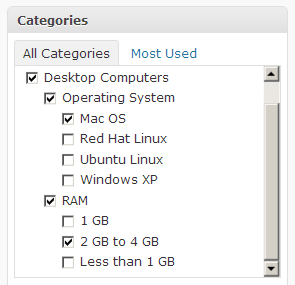
Taxonomy is a term that refers to classification and organization. In WordPress, classification ie. taxonomy is reduced to categories and tags. Their sole purpose is to sort content to improve its usefulness. That the user of the site can simply browse the content by topic, rather than searching in the chronological way that blogs were originally organized.
The term wordpress custom taxonomy (Serb. special taxonomy) is most often related to Custom post type because it is important that when using custom post types taxonomies that are used for standard posts and vice versa do not appear.
Read more

WordPress Custom Post Type

Introduction

WordPress custom post type is any type that is not one of the 5 default post types:

  • Post (Post Type: ‘post’)
  • Page (Post Type: ‘page’)
  • Attachment (Post Type: ‘attachment’)
  • Revision (Post Type: ‘revision’)
  • Navigation menu (Post Type: ‘nav_menu_item’)

In order to create a new wordpress type, we need to create a custom function that will activate an option in the admin panel with our specific requirements. The entire custom function is essentially based on the register_post_type() function.

Read more

WordPress Custom Meta Box

Creating interfaces

To create a new wordpress custom meta box two custom functions are needed. The first function is the main one, it creates a new meta box (defines the name and label) and calls the second one, which serves to display the inside of the meta box.

Read more

WordPress Custom Fields

Introduction

image

image ×

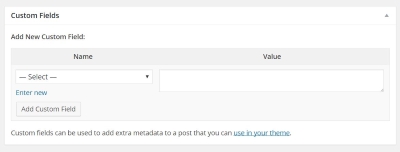
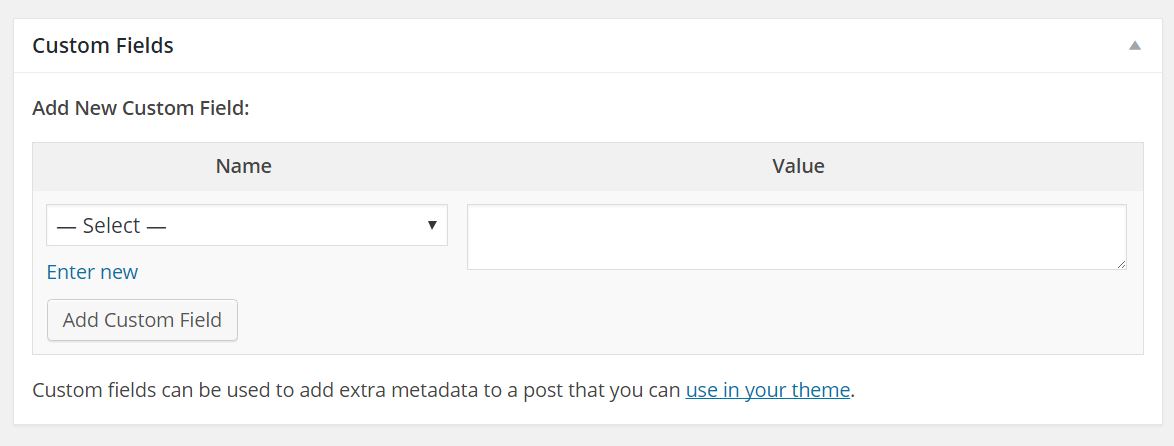
WordPress Custom fields allow the end user to enter some specific information without using the existing standard meta boxes (post title and post content). Custom Fields (Serb. special fields) are actually meta data (eng.meta data) but they are called fields because they look like fields in the wordpress admin interface.

In order for the “Custom Fields” meta-box to be available when editing a post, it is necessary to click on the Screen Options button in the upper right corner while on the post editing page and thus open the drop-down menu, where we check the Custom Fields option.

Custom Fields consists of two fields and forms a pair of so-called key/value. Key would be the data written in the “Name” field, and the value written in the “Value” field. After the “Name” and “Value” fields are filled in, click on the Add Custom Field button. It should be emphasized that it is allowed to submit several different custom fields with the same key. If the key has already been used, it will appear in the drop-down menu when we want to fill in the following custom fields. But if we don’t want the value “key” to appear in the drop-down menu for some future use, then the name should start with underscore _

Read more

WordPress loops

Standard WordPress loops

The WordPress loop is preceded by some query to the database. A “Standard query” is a query that collects data about standard posts, from which it can be concluded that a “standard loop” is a loop that “spins” the result string of a standard query. The results of a standard query from the MySQL database are stored in the form of a $wp_query object:

Read more

WordPress queries

Introduction


image

image ×

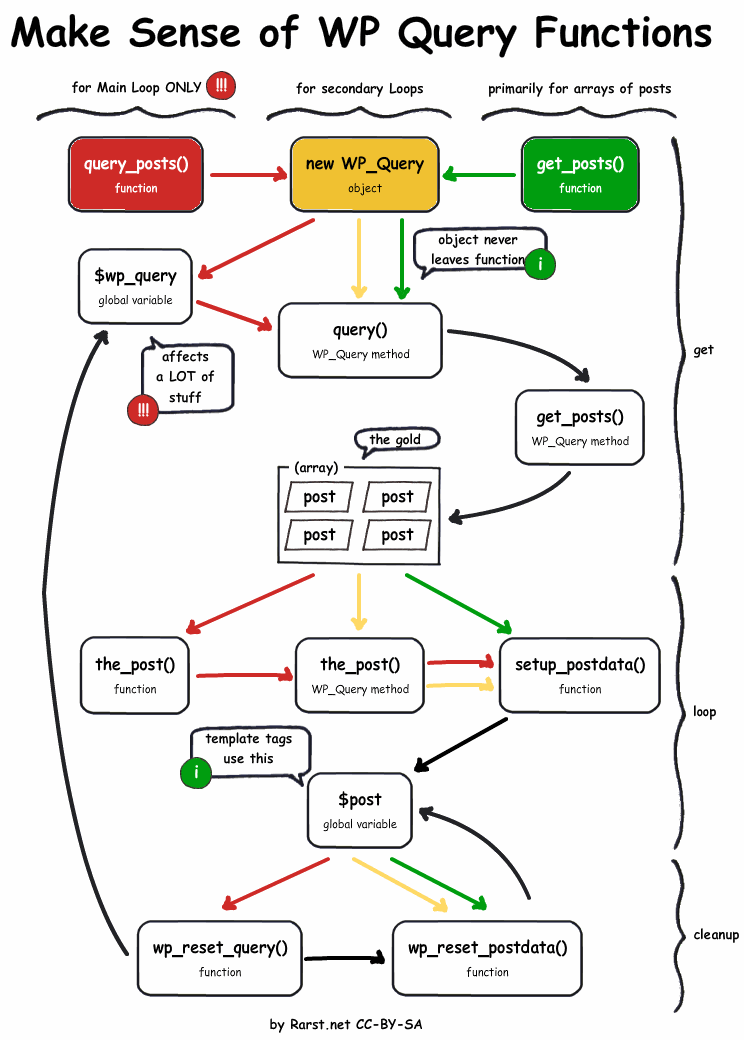
WordPress queries to the database allow data to be collected and displayed on the page through the WordpPress loop mechanism. WP_Query is the class behind all database queries, and $wp_query is the default object, and it stores query results from the MySQL database.

Queries in WordPress can also be sent via the query_posts() and get_posts() functions, which are also based on the $wp_query object. But it is recommended to still use the $wp_query() object as the best solution, although it may also be acceptable to use the query_posts() function, while the get_posts() function should be avoided!
If the standard loop changes, ie. if a custom query was used, it is necessary to restore the original default global $post variable at the end of the loop. This is achieved with the function wp_reset_postdata() placed at the point where the loop ends ie. immediately after endwhile.

Read more

WordPress hooks

Action hooks

A WordPress hook is a “piece” of code through which a custom function is inserted into the part of the code where the “hook” was previously placed. The hook can be embedded in any part of WordPress, in “core wordpress” or in our theme or plugin…

The execution of wordpress code takes time and has its own sequence, and since the “function-hooks” are located in different places in the code, this means that they are executed at different points in the timeline. This fact allows us to activate our custom function from functions.php at a specific time. The exact start time of our function depends on which function-hook we “hooked” on.

Read more

WordPress hierarchy and structure

The contents of the WordPress root folder Inside the root folder there are three folders: wp-admin is the folder that contains everything you see inside the admin area of the site. This part will only interest you if you want to modify the Admin panel. wp-content is the folder that contains the folders: themes where … Read more

Installing WordPress

Introduction

Wordpress installation

WordPress is written in PHP, so it is necessary to have PHP installed on the server. Hosting companies provide this through their service, while PHP is usually installed locally together with the server as part of a package (WAMP, LAMP, MAMP…). Installing WAMP is already covered in the article “Installing Web Development Tools”. In addition to PHP and a server, a DBMS (DataBase Management System) is needed, usually MySql. Regardless of whether WordPress is installed on a local or remote server, before the installation itself, it is necessary to create a database within which WordPress will create the necessary tables and store data during installation. So the following three things are required to install WordPress:

  • Server
  • MySql database
  • PHP installed

Read more

Installation of web development tools

Introduction

alati

This article serves as a reminder to a web developer to install all the necessary tools to work on a new or reinstalled computer. The installation of the tools that I personally use as well as some of their basic settings are described in detail. Web development covers a large number of different technologies and programming languages, therefore the list of required applications is also large.

Read more