


Syntax
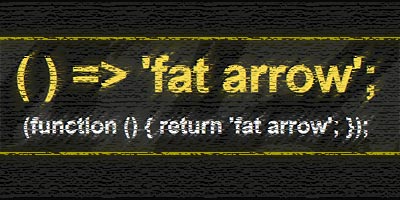
Arrow function or so-called “fat arrow” is a new syntax for writing JavaScript functions. The most important feature of the arrow function is its shorter syntax, which implies better visibility. Depending on the number of parameters and the body of the function, the syntax has several different ways of writing the code:.

a) Syntax appearance when the function body has several expressions
In this case, the syntax of the arrow function is the most similar to an ordinary function, and the only difference is obtained by removing the keyword “function” and adding “fat arrow”. This syntax is used when there are multiple expressions in the function body:
|
1 2 3 4 5 6 7 8 9 10 11 |
//ES5 var multiply = function(x, y) { var tekst = "This is a function"; console.log(tekst); }; //ES2105 var multiply = (x, y) => { var tekst = "This is a function"; console.log(tekst) }; |
b) Syntax layout when the function body has one expression
If the body has only one expression that is returned with “return” then we can drop both the curly braces and the reserved word “return”:
Example
|
1 2 3 4 5 6 7 8 |
//ES5 var multiply = function(x, y) { return x * y; }; //ES2105 var multiply = (x, y) => x * y; |
c) Appearance of the syntax when no parameters are passed to the function
If no parameters are passed to the function then there must be empty parentheses () in the section reserved for function parameters
|
1 2 3 4 5 6 7 |
// ES5 var stampa = function () { console.log ("Print from a regular function"); } //ES2105 var stampa2 = () => {console.log("Print from the arrow function")}; |
d) Appearance of the syntax when only one parameter is passed to the function
If only one parameter is passed to the function, then we can remove the brackets around the parameters:
Example
|
1 2 3 4 5 6 7 |
//ES5 var duplo = function(x) { return x * 2; } //ES2105 var duplo = x => x * 2; |
The benefit of the new syntax is even better seen when we use the new methods for iterating over arrays:
Example
|
1 2 3 4 5 6 7 8 9 10 11 12 13 14 15 16 17 18 19 20 21 22 23 |
var niz = [1,2,3]; // ES5: var duplo = function(x) { var noviNiz = []; for (var x of niz) { noviNiz.push(x*2); }; return noviNiz; } console.log(duplo(niz)); // ES2105 without arrow function: var noviNiz = niz.map (function (clan){ return clan * 2; }); console.log(noviNiz); // ES2015 var noviNiz = niz.map ( clan => clan*2 ); console.log(noviNiz); |
e) Syntax layout when returning “Object Literal”
Returning an object literal with ES5 syntax looks like this:
|
1 2 3 |
var kvadrat = function(n) { return { kvadratBroja: n * n }; }; |
According to the current rules, the previous task with the arrow function would look like this:
|
1 |
let kvadrat = n => { kvadratBroja: n * n }; // Returns: undefined |
However, this syntax is not good, and the function returns undefined, because the parser parses the curly braces as the body of the function and not as an object literal. Therefore, according to him, the syntax with a colon in the body of the function is not good. In order for the parser to recognize that it is ES6 syntax, it is necessary to put ordinary brackets around the object literal:
|
1 2 |
let kvadrat = n => ({ kvadratBroja: n * n }); console.log(kvadrat(5)); // Returns: {kvadratBroja: 25} |
Keyword domain “this”
Arrow function instead of applying one of the 4 standard rules for binding this, it completely bypasses the standard mechanism and binds this to the surrounding scope of visibility (lexical visibility scope). When calling these functions, this inherits the meaning of this from the surrounding function. Simplified this arrow function equates to what this would point to from the external function surrounding the arrow function (it has a built-in engine that practically replaces the known mechanism: “self=this”). When using the arrow function it doesn’t matter how and where the function is called, only what this from the external function points to.
NOTE:
Meaningobtained by the this operator inside the arrow function cannot be changed later! So it cannot be overridden with the predefined bind(), apply() or call() methods or even with the “new” operator.
Example – Problem with closure
There is a known problem when the clousure function inside an object “loses” the reference to that object: :
|
1 2 3 4 5 6 7 8 9 10 11 12 |
var person = { firstName:"Pera", lastName: "Peric", fullName: function () { // this function fullName() points to a "person" object var spajanjeImena = function(){ console.log(this.firstName + " " + this.lastName); // this function mergeNames() points to a global object }; return spajanjeImena(); } }; person.fullName(); // Returnsundefined |
The reserved word “this” in the clousure function mergeNames() has lost its reference to the person object and points to a global object. This problem can be solved by using the arrow function, because its meaning of the reserved word “this” will be equated to the meaning of this from the surrounding function. In this case the surrounding function is fullName(), and it points to a person object. So this inside the arrow function will also point to the object “person”.
|
1 2 3 4 5 6 7 8 9 10 11 12 |
var person = { firstName:"Pera", lastName: "Peric", fullName: function () { console.log(this); // this function fullName() points to a "person" object var spajanjeImena = () => { console.log(this.firstName + " " + this.lastName); // this function mergeNames() points to a "person" object }; return spajanjeImena(); } }; person.fullName(); // Pera Perić |
When to use the arrow function?
Arrow function should not always be used ie. as a total replacement for the classic function declaration. There are times when the arrow function shines brightly, but there are also times when it simply cannot be used.
Recommendation for using the arrow function
Generally, it is recommended that the arrow function be used when we have simple functions composed of one statement, where the only statement is return or some calculated value and “this” is not used in the body of the function, unless it is a closure.
Example
|
1 |
[1,2,3].map(x => 2 * x) |
Cases when you should avoid the arrow function
Arrow function should not be used:
- a) If the reserved word “this” is used within the object method (this statement does not apply to closure, because then it is preferable to use the arrow function), because “this” then points to a global object
123456function MyCat(name) {this.catName = name;}MyCat.prototype.sayCatName = () => {return this.catName; // "this" points to "window" so "this.catname" is undefined}; - b) If it is a dynamic context, such as a callback function within an EventListener, because “this” does not point to the object to which the listener is attached, but to the global object:
1234var button = document.getElementById('myButton');button.addEventListener('click', () => {this.innerHTML = 'The button has already been clicked'; // "this" points to a global object, not a button}); - c) Within the constructor function, because “this” should point to the newly generated object:
1234var Message = (text) => {this.text = text;};var helloMessage = new Message('Hello World!'); // Throws "TypeError: Message is not a constructor" - d) When the function requires an “arguments” object, because when we use the arrow function we do not have access to the “arguments” object.