


What are hybrid mobile apps?
Mobile applications are more than ordinary web applications, because unlike browsers, mobile devices have sensors and specific functionalities (camera, gyroscope, vibration, etc.). It is the ability to access these functionalities that separates mobile applications from an ordinary responsive website.
Emergence of hybrid mobile applications
To develop “native mobile apps” on multiple different platforms, you need to have software engineers for each operating system on your team. In addition to the high (read “expensive”) dependence on a specific frame, it should be emphasized that the aggravating circumstance is that we cannot use and share the program code between different versions of the same application. All of the above has the effect that the cost and development time of native applications is high.
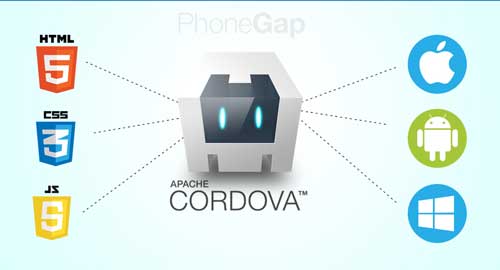
So-called “hybrid mobile applications” are the solution to the mentioned problems. These are web applications written with classic web technologies (HTML, JavaScript, and CSS), whose program code is compiled into an application that is executed in webview. With hybrid mobile applications, we write the program code only once, and the other versions (for each of the desired platforms) are obtained by compiling that code. Such applications are called “hybrid”, because they are not purely native mobile applications (all rendering is done through the so-called “WebView” instead of the user interface platform), but they are also not purely Web-based (because they have access to the device’s original APIs and are prepared for distribution on the appropriate platform).
Disadvantages of hybrid applications
Writing the program code only once and automatically getting the versions for each of the desired platforms sounds ideal, but hybrid applications also have certain limitations.
The biggest problem with hybrid applications is their performance. With older phones (especially on the Android platform before version 4.0), the problem of rendering the user interface not fast enough and chopping animation or transition effects occurs. Although currently the situation is better, mainly due to the significant processing power of current devices, and partly due to the tools used for the development and progress in the optimization of mobile operating systems. However, hybrid web applications still do not have an adequate solution for some functionalities (eg widgets on the Android platform). We should not ignore that by building hybrid applications we automatically inherit all the problems that come with programming on the web (different functionality support for different browsers…)
Technologies for the development of hybrid applications
As with the creation of standard web applications for the creation of hybrid mobile applications, frontend technologies are used: HTML, CSS, and JavaScript (most often, plain JavaScript is not used, but one of the frameworks: Angular, React, Vue.js…). However, in addition to the mentioned set of technologies, it is necessary:
- Enable access to device system functions (Cordova)
- Provide a tool for compiling the application into native code of the desired platform (Cordova)
- Stylish the appearance and functionality of the user environment as on the original platforms (IOS, Android) with one of the specialized UI libraries: Ionic, Framework7, OnsenUI, Quasar…
Cordova
What is Cordova and what is PhoneGap?
Company “Nitobi” is2009 created an Open Source project called “PhoneGap”. However, in 2011, Adobe bought Nitobi. Since PhoneGap was free at the time of purchase and its software was already used by several manufacturers in their software products (Oracle, IBM…), in order to protect the longevity of the PhoneGap project, Nitobi donated PhoneGap to the “Apache Software” foundation before the sale. Since with the purchase of the Nitobi company, Adobe also bought the right to the name “PhoneGap”, therefore the Apache Foundation generated a new name, so the name “Apache Cordova” represents an open source project and “PhoneGap” is Adobe’s distribution of the same product. In the meantime, Adobe has added new functionalities (mainly related to facilitating development), such as PhoneGap Build Service, PhoneGap Developer App and Adobe PhoneGap Enterprise.
Purpose of Cordova
The Apache Cordova system enables hybrid mobile applications to do two things:
- Functions for communicating with system components directly from JavaScript
- Compiling a web application in native code
a) Access to system functions of the device
Cordova provides you with an API to access the system functions of the device, so that from the web application we can activate the camera, issue a notification, read the coordinates, etc. These functionalities are provided by installing the corresponding Cordova plugin:
- Battery Status
- Camera
- Console
- Contacts
- Virgo
- Virgin Motion
- Virgin Orientation
- Dialogs
- Files
- File Transfer
- Geolocation
- Globalization
- InAppBrowser
- Media
- Media Capture
- Network Information
- Splashscreen
- Vibration
- Statusbar
- Whitelist
b) Compiling the web application into native code
Compiling a web application means generating an application that contains a bare browser (so-called webview) and a web application that is executed in such a browser. It also contains configuration files, mobile operating system manifest, etc. The application thus generated is ready for distribution through the appropriate network (Google Play or Apple store).
Choosing UI libraries to emulate native mobile apps?
It is clear that only plain JavaScript can be used to create applications (in which most of the logic is located on the client), but programmers use frontend frameworks for faster and simpler programming. In the sea of frontend frameworks, Angular, React and Vue.js stand out at the moment. Ok, we have chosen one of the frameworks and with it we will do all the “logic” of the application on the client, but here comes the “hard” part, because each of the operating systems (IOS, Android, Windows, Blackberry…) has its own recognizable user interface, so creating the interface is a huge job. That’s when UI libraries for emulating native mobile apps come into play.
Tabular overview of library characteristics
In this part, I will make an overview of some ui libraries for mobile applications, and the only condition for them to be on the list is that they support both operating systems.system and IOS and Andorid material design.
Personal impression
Ionic is the most popular and the most serious with the most contributors to the project, but it only supports Angular. Quasar is a library with growing popularity that can generate (with the same code) both PWA and desktop applications (Windows, IOS) in addition to hybrid applications at the same cost. It has a huge number of components, but also objections to the design, which does not look enough like either IOS or Android. Alsoit should be emphasized that it can only be used in cooperation with the Vue.js framework. Framework7 supports both React and Vue.js, is quite popular and has probably the best design (especially for IOS). In addition, it has a decent number of components, but it prefers a personal routing method and a personal DOM management system. OnsenUi is the only one that supports all three main frameworks equally, and it has a great design, but the downside is a small number of components (eg no date-time picker).