Arrow function

Syntax

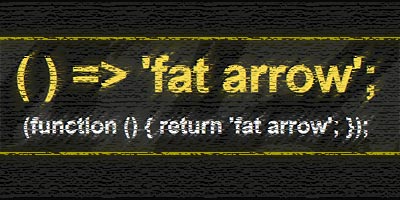
Arrow function or so-called “fat arrow” is a new syntax for writing JavaScript functions. The most important feature of the arrow function is its shorter syntax, which implies better visibility. Depending on the number of parameters and the body of the function, the syntax has several different ways of writing the code:.

arrow function

a) Syntax appearance when the function body has several expressions

In this case, the syntax of the arrow function is the most similar to an ordinary function, and the only difference is obtained by removing the keyword “function” and adding “fat arrow”. This syntax is used when there are multiple expressions in the function body:

b) Syntax layout when the function body has one expression

If the body has only one expression that is returned with “return” then we can drop both the curly braces and the reserved word “return”:

Example

c) Appearance of the syntax when no parameters are passed to the function

If no parameters are passed to the function then there must be empty parentheses () in the section reserved for function parameters

d) Appearance of the syntax when only one parameter is passed to the function

If only one parameter is passed to the function, then we can remove the brackets around the parameters:

Example

The benefit of the new syntax is even better seen when we use the new methods for iterating over arrays:

Example

e) Syntax layout when returning “Object Literal”

Returning an object literal with ES5 syntax looks like this:

According to the current rules, the previous task with the arrow function would look like this:

However, this syntax is not good, and the function returns undefined, because the parser parses the curly braces as the body of the function and not as an object literal. Therefore, according to him, the syntax with a colon in the body of the function is not good. In order for the parser to recognize that it is ES6 syntax, it is necessary to put ordinary brackets around the object literal:

Read more

New methods for working with arrays

Array.from()

Using the method “from()” we can make an array from “array-like” or “iterable”:

ES2015

Array.prototype.find()

This method returns the first member of the array that satisfies the condition (the condition within the callback function). The method passes three parameters to the callback function:

  • string member value
  • index of array member
  • an array (on which the method is executed)

In addition to the callback function, the argument thisArg can (optionally) be passed, which defines what the reserved word this will point to within the callback function.

Example

The findIndex() method does a similar thing, except that instead of the first element that met the condition, it returns its index in the array.

Read more

“Object literal” improvements

Abbreviated notation for variable assignments It is known that it is possible to create properties of an object based on a variable and its value, the procedure used was as follows:

Now with the new standard we can shorten this:

Abbreviated method definition notation Defining an object method no longer requires the function … Read more

Default values ​​of function parameters

Introduction In previous practice (ES5) the following approach was used to define the default values of funkcje parameters:

The problem occurs when a value is passed that the compiler implicitly converts to a boolean “false” (eg zero), and therefore takes the default value instead:

So we need to improve the condition:

ES2015 … Read more

Methods for working with arrays

Array.from()

Using the method “from()” we can make an array from “array-like” or “iterable”:

Read more

flight & const

Common characteristics Block scope The keywords let and const in front of the variable declare the variable, which is available only in its local domain, the so-called “block scope”. When a variable is declared with let/const within curly braces, then the curly braces are the edges of its domain.

No hosting variable at compile … Read more

An overview of the new JavaScript standards

News list In this text, all the novelties that came as part of the new JavaScript standards are listed, and are covered on the website webprogramiranje.org through various articles: Standard Newspaper Article ES2015 New way of declaring variables with let & const keywords “let & const” ES2015 Easily defining default function parameter values “Default values … Read more

Collecting data from a form with the FormData interface

Introduction

js this

Using the FormData interface makes working with forms quite easy, because it is able to simply pick up all the input values in the form and store them in an object as key/value pairs.
An additional advantage over the standard method is related to easier writing of server code. With the standard method we have to add a certain code on the server side that would process the incoming data in a specialized way, while with FormData it is not necessary, because the code sent is standardized and debugged! It should be emphasized that in the form all HTML input tags must have the ‘name’ attribute, because FormData has access to the input values through it.

Read more

“Async/Await” syntax for better “Promise”

Introduction

asyn/await

Using only one promise is clear and simple, but when the program is complicated by asynchronous logic, working with promises quickly becomes difficult. With the ES2017 standard, a new syntax “async/await” has arrived, which makes it easier to work with promises, and enables a simpler presentation of a series of asynchronous promises. Using the “async/await” syntax allows us to display multiple interdependent asynchronous actions more readably and thus avoid the so-called “promise hell”. It should be noted that “ordinary” callback functions cannot be used with async functions.

“Async/await” syntax does not exclude promises, but changes the way of “consumption” of promises. Async/Await syntax allows us to write asynchronous code according to the sequential order of execution so that it looks like synchronous code.

Chrome DevTools

Introduction

chrome devtools

This article provides an overview of specialized tools within the “Chrome” browser, called “DevTools”. Chrome DevTools are an irreplaceable set of tools intended for web developers to help them in their daily work. Through DevTools it is possible to view the HTML page and work with DOM elements, as well as access to all CSS properties of the elements.
In this toolkit, attention has been paid to the debugging part of JavaScript code. Using this tool, it is possible to define various ways of interrupting the execution of program code (the so-called breakpoint), which greatly facilitates the work of web developers when removing bugs on websites. At each interruption, an insight into the value of the variable as well as its areas of definition is enabled.
In addition to this, there are sections related to monitoring the performance of the web application, as well as an overview of the data exchange between the client and the server.

Read more