Syntax
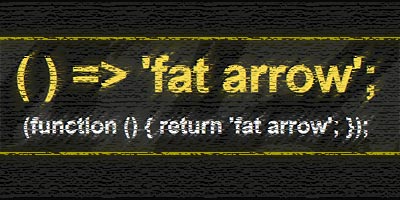
Arrow function or so-called “fat arrow” is a new syntax for writing JavaScript functions. The most important feature of the arrow function is its shorter syntax, which implies better visibility. Depending on the number of parameters and the body of the function, the syntax has several different ways of writing the code:.

a) Syntax appearance when the function body has several expressions
In this case, the syntax of the arrow function is the most similar to an ordinary function, and the only difference is obtained by removing the keyword “function” and adding “fat arrow”. This syntax is used when there are multiple expressions in the function body:
|
|
//ES5 var multiply = function(x, y) { var tekst = "This is a function"; console.log(tekst); }; //ES2105 var multiply = (x, y) => { var tekst = "This is a function"; console.log(tekst) }; |
b) Syntax layout when the function body has one expression
If the body has only one expression that is returned with “return” then we can drop both the curly braces and the reserved word “return”:
Example
|
|
//ES5 var multiply = function(x, y) { return x * y; }; //ES2105 var multiply = (x, y) => x * y; |
c) Appearance of the syntax when no parameters are passed to the function
If no parameters are passed to the function then there must be empty parentheses () in the section reserved for function parameters
|
|
// ES5 var stampa = function () { console.log ("Print from a regular function"); } //ES2105 var stampa2 = () => {console.log("Print from the arrow function")}; |
d) Appearance of the syntax when only one parameter is passed to the function
If only one parameter is passed to the function, then we can remove the brackets around the parameters:
Example
|
|
//ES5 var duplo = function(x) { return x * 2; } //ES2105 var duplo = x => x * 2; |
The benefit of the new syntax is even better seen when we use the new methods for iterating over arrays:
Example
1 2 3 4 5 6 7 8 9 10 11 12 13 14 15 16 17 18 19 20 21 22 23 |
var niz = [1,2,3]; // ES5: var duplo = function(x) { var noviNiz = []; for (var x of niz) { noviNiz.push(x*2); }; return noviNiz; } console.log(duplo(niz)); // ES2105 without arrow function: var noviNiz = niz.map (function (clan){ return clan * 2; }); console.log(noviNiz); // ES2015 var noviNiz = niz.map ( clan => clan*2 ); console.log(noviNiz); |
e) Syntax layout when returning “Object Literal”
Returning an object literal with ES5 syntax looks like this:
|
|
var kvadrat = function(n) { return { kvadratBroja: n * n }; }; |
According to the current rules, the previous task with the arrow function would look like this:
|
|
let kvadrat = n => { kvadratBroja: n * n }; // Returns: undefined |
However, this syntax is not good, and the function returns undefined, because the parser parses the curly braces as the body of the function and not as an object literal. Therefore, according to him, the syntax with a colon in the body of the function is not good. In order for the parser to recognize that it is ES6 syntax, it is necessary to put ordinary brackets around the object literal:
|
|
let kvadrat = n => ({ kvadratBroja: n * n }); console.log(kvadrat(5)); // Returns: {kvadratBroja: 25} |
Read more