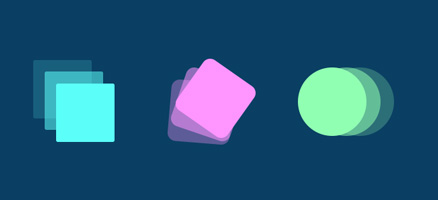
Animation with CSS property “transition”

CSS Transitions is the simplest way to animate with CSS. A transition is used to soften the abrupt change in the value of a selected CSS property over a period of time by gradually changing the value of the CSS property. This mechanism is covered by four properties: transition-property (required), transition-duration (required), transition-timing-function (optional), and transition-delay (optional).

Categories CSS

Vue.js mixin

What is a mixin?

Vue 3 note (2026): For new Vue 3 code, prefer composables (Composition API functions like useXxx()) over mixins. Mixins still work with the Options API but make dependencies less explicit and are easy to collide.

vue mixin

Mixins are “reusable” pieces of code that can be used multiple times in any Vue component or instance. A Vue.js mixin is actually an object that can contain all the properties as well as the options object of the instance/component: data, methods, computed…
“Mixins” are used for:

  • Creation of common properties (methods, data…), which are used in different components and thus enable compliance with the DRY (“Don’t Repeat Yourself”) principle.
  • When creating plugins that need to modify an existing Vue instance, because they can easily add new functionality.
The domain of the mixin

A mixin is integrated into an instance (component) by embedding a copy of the code written in the mixin into the component. This leads to the conclusion that the code that came into the component from the mixin is completely separate and independent both from the mixin itself and from the code embedded in the other components.
Read more

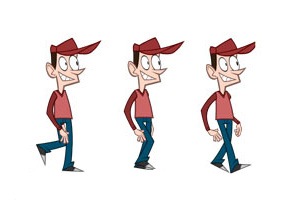
An introduction to animation with CSS

How to perform animation with CSS CSS-driven animation arose out of a need for front-end developers to be able to define this interaction without using JavaScript or possibly outdated Flash. Two main properties enable animation from CSS: transition animation The “transitions” property is the simplest way to animate with CSS. A transition is used to … Read more

Categories CSS

Dynamic components

Syntax for dynamic components Dynamic components in Vue allow you to specify a single HTML placeholder for different components, after which the user/application can dynamically choose which component to display. The syntax of dynamic components is very similar to the syntax of the “slot” mechanism, except that in this case it is the so-called placeholder … Read more

Forwarding content with a slot element

Introduction One of the ways to forward the content from the parent component is to insert it between the custom tag that represents the instance of the component. This mechanism is used when we have similar components that differ only in content, because this way we avoid creating two separate components. The Child component accepts … Read more

Communication between neighboring components

Introduction

Communication between “neighboring” components can be achieved in several ways, and the choice of one of the offered mechanisms usually depends on the complexity of the application.

a) Communication via common parent ($emit -> $on & attribute -> props )

A feasible solution, but it is generally a bad idea, because it is difficult to monitor the flow of data and therefore difficult to debug.

b) Event bus ($emit & $on)

A fast and simple solution for applications with a simple architecture and fewer components.

c) Pinia / Vuex (centralized state)

For Vue 3 use Pinia (official store). Vuex remains relevant for older Vue 2 apps.

Read more

Communication between components type “parent <---> child”

Introduction

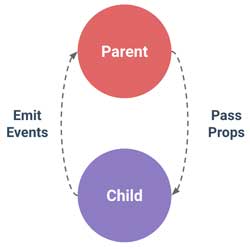
emit-props

Within Vue.js, each component has its own isolated domain, direct communication between two components is not allowed by default, so appropriate mechanisms are used for data exchange.
Communication between parent and child components can take place in both directions, but using different mechanisms. In the direction from the parent to the child component, the data is forwarded through the child tag attribute, and in the direction from the child component to the parent component, it is forwarded with the custom event.

It should be emphasized that depending on the type of transmitted data, it depends on whether the communication is one-way or two-way. In the case of primitive type data, this communication is one-way, because even if the child component makes a change to the passed data, it will not affect the parent component. However, if data of reference type (strings or object) is passed, then the change of such data in the child component will also be noticed by the parent component because both “watch” the same place in memory.

Read more

What are Vue.js components?

Creating a component It is known that even with the simplest applications, it is not good to keep the entire code in one file, but it is better to break it into several units, because that way the application is simplified and allows better visibility and easier debugging. Components are a great way to break … Read more

Directives v-text & v-html & v-pre

v-text

This directive accepts as an argument a variable representing the text with which the entire content of the tag should be updated. It has the same functionality as string interpolation.

See the Pen v-text by Web programming (@chos) on CodePen.


vue.js

Read more

v-show & v-once & v-cloak directives

v-show The “v-show” directive is used to conditionally display an element. Although “v-show” always generates the HTML element it is on (the element is visible in the inspector), it will only display it on the user interface if the state of the v-show="true" directive is true, otherwise the element will not be displayed because it … Read more