



It is often necessary to group parts of the content of the page so that it can be distinguished from other parts (eg menu, content, article…) and to be able to define a specific size and position for it on the page through CSS. Grouping is simply done by placing the content within the appropriate grouping tag.
By default, none of these grouping tags affect the content being displayed differently in the browser, but that’s why we can later target the tags and assign them the appropriate characteristics and appearance through CSS.
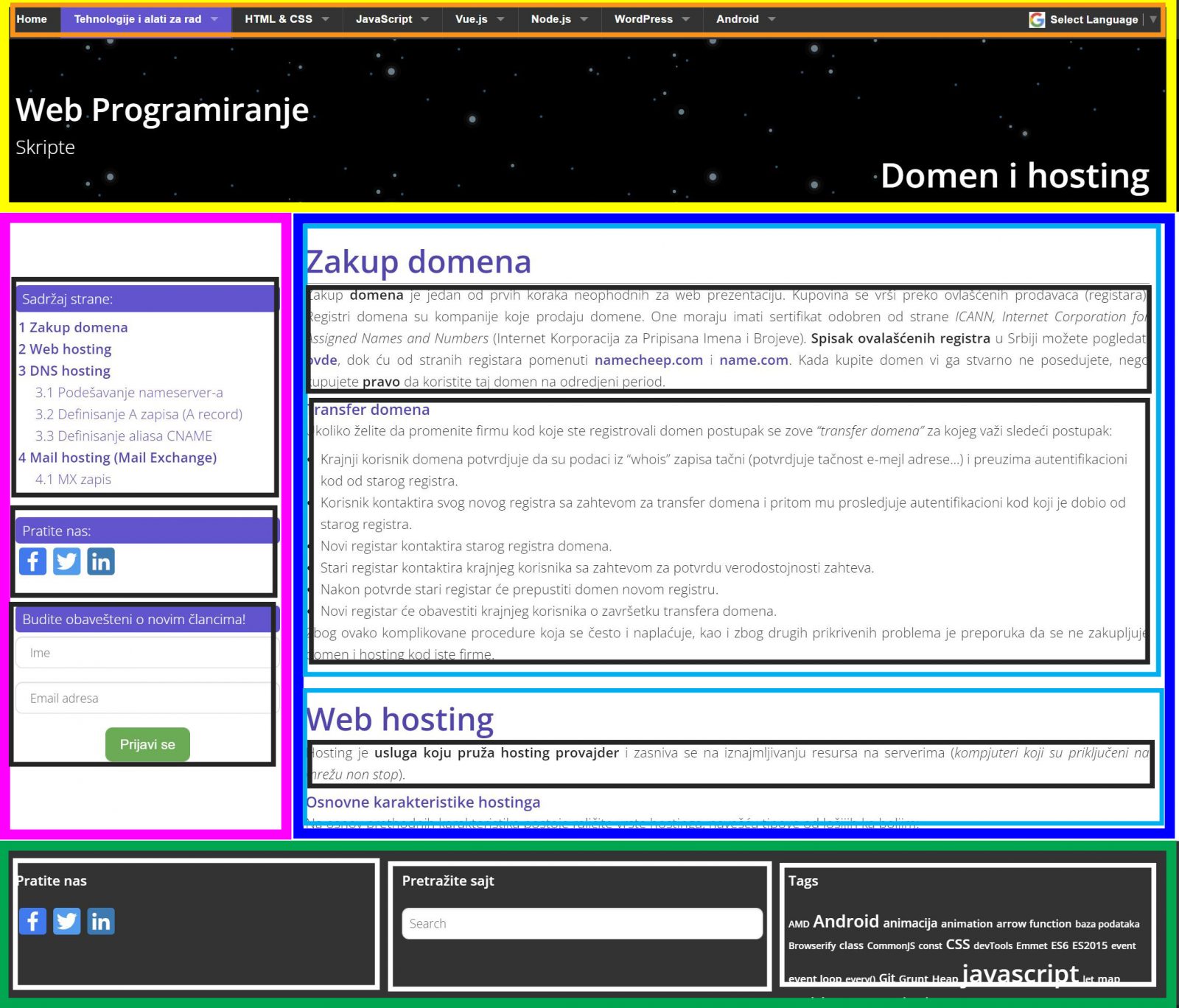
<div>
The “div” tag is the most general grouping tag, it can be used whenever we need some non-specific grouping (black and white boxes in the image). Grouping is done by placing part of the content inside an open and a closed div tag.
<section>
The “section” tag is a more specific tag than the <div> tag and is used to mark some entity within the so-called document. section (light blue frames in the image) :
See the Pen
Untitled by Web Programming (@chos)
on CodePen.
<article>
Article tag is very similar to tag <section> tag but is used with specific types of sections for blog, news, forum…
<header>
This tag is a container for introductory content or a set of navigation links (yellow frame in the image), typically contains page elements such as: logo, icon, navigation, site name….
<main>
This tag should contain the main content of the page, there can be only one such tag on the page (dark blue frame in the image). This tag is a “neighbor” to the following tags <aside>, <footer>, <header>.
<aside>
This tag defines the content on the side of the main content (purple box in the image).
This tag defines the footer of the page (green frame in the image), it displays information about the site, contact information, similar pages, navigation.
This tag defines the container in which the navigation links are placed (orange box in the image)
See the Pen
<nav> tag by Web programming (@chos)
on CodePen.