


Properties
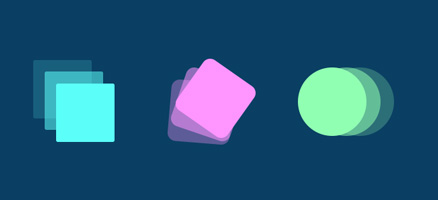
CSS Transitions is the simplest way to animate with CSS. A transition is used to mitigate an abrupt change in the value of a selected CSS property over a period of time by gradually changing the values of the CSS property. This mechanism is covered by four properties:
-
transition-property (required)
Defines on which CSS property the transition will be performed. A list of all animatable properties can be found at “www.w3.org”
-
transition-duration (required)
Defines the transition duration
-
transition-timing-function (optional)
Defines a function that will be responsible for the speed of the transition in time.
- linear – predefined transition with constant speed
- ease – a predefined transition that accelerates through the middle and slows down at the end
- ease-in – predefined transition that starts slow and then accelerates all the way to the end
- ease-out – a predefined transition that starts at high speed and then slows down to the end
- ease-in-out – a predefined transition that starts slowly, then speeds up in the middle and then slows down to the end
- cubic-bezier(x1,y1,x2,y2) – the programmer himself defines the behavior of the function. You can find help defining the “cubic-bezier()” function at cubic-bezier.com or easings.net/
-
transition-delay (optional)
Defines the time after which the transition will start from the moment the transition is activated
Example
|
1 2 3 4 5 6 |
.selector { transition-property: cssSvojstvoKojeSeMenja; transition-duration: trajanjeAnimacije; transition-timing-function: timing-function; transition-delay: velicinaOdlaganjaAnimacije; } |
Abbreviated “transiton” syntax
However, the property named just “transition” is most often used, which includes all four previously mentioned properties:
|
1 2 3 |
.selector { transition: [property] [duration] [timing-function] [delay]; } |
Starting the transition
The “triggering” of the event that activates the property change, and thus the transition if it is defined in the property, can be executed:
- pseudo classes
- :hover – when we pass the mouse over the element
- :focus – when the element is in focus
- :active – when the link element is active, i.e. clicked
- by changing the property or adding a class that contains the property change with JavaScript
Examples
Example – basic transition
In this example, a transition is performed over the right element due to hover because then the value of the properties “width” and “heigh” changes.
See the Pen QrXoEj by Web programming (@chos) on CodePen.
Example – transition-timing-function
See the Pen KRjBwV by Web programming (@chos) on CodePen.
Example – transition-delay
See the Pen delay transition by Web programming (@chos) on CodePen.
Example
See the Pen Transitional Button by Web programming (@chos) on CodePen.